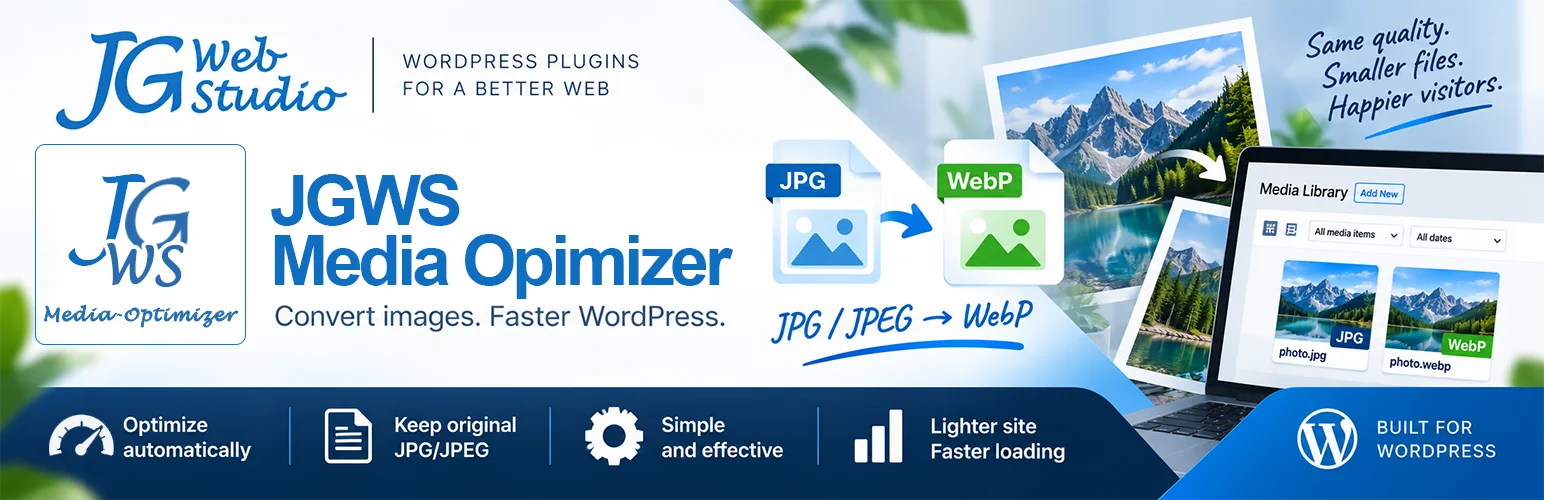
JGWS Media Optimizer – a WordPress image optimization plugin is now available.
On August 22, I wrote about a new direction for JG Web Studio – developing our own WordPress plugins and tools. One of the first projects was JGWS Media Optimizer. The plugin had already appeared in its early versions, allowing us to test how it worked and gain our first experience. Today, I can say that the project has entered its next stage – a stable version of the plugin is now available, both as a free version and as the extended PRO version.
The plugin was created to automatically optimize images on WordPress websites and is available in two versions – the free Free version and the extended PRO version.
Why optimize images?
Photos and graphics are an integral part of most websites. At the same time, they can take up a lot of storage space, while large files mean more data has to be downloaded by the browser.One way to reduce this problem is to use modern image formats such as WebP and AVIF. They can significantly reduce file sizes while maintaining good image quality.The problem arises when every image has to be prepared separately before being uploaded to a website.
Jednym ze sposobów na ograniczenie tego problemu jest korzystanie z nowoczesnych formatów obrazów, takich jak WebP czy AVIF. Pozwalają one uzyskać mniejsze pliki przy zachowaniu dobrej jakości obrazu.
Problem pojawia się wtedy, gdy każde zdjęcie trzeba przygotowywać osobno przed umieszczeniem go na stronie.
JGWS Media Optimizer does it automatically
JGWS Media Optimizer was designed to make image conversion automatic while working with WordPress.
When an image is added to the Media Library, the plugin can automatically create an optimized version in a modern image format. This means you don't have to use additional software or manually process files every time.
The plugin also works with images added to WordPress from external sources, such as Pexels.
Free or PRO?
JGWS Media Optimizer Free is the basic, free version designed primarily for automatic conversion of JPG and JPEG images to the WebP format.
JGWS Media Optimizer PRO extends these capabilities with additional formats, including AVIF, support for PNG images, and additional settings that allow you to better tailor the conversion process to the needs of a specific website.
Both versions also allow you to keep the original files when needed.

Detailed information about the features available in both versions can be found on the plugin page:
JGWS Media Optimizer
This is just the beginning
JGWS Media Optimizer is the first result of the direction I wrote about in August. The development of our own WordPress tools will continue.
In upcoming articles, I will take a closer look at individual topics related to image optimization – including WebP and AVIF formats, as well as methods for automatically converting images in WordPress.
If you run a WordPress website and want to reduce the size of the images used on it without having to manually prepare every file, it is worth giving JGWS Media Optimizer a try.